Make your own Website
Follow these instructions to create your own website!
-
First open TextEdit on a Mac, Notepad on Windows or LeafPad on Raspberry Pi.
- Now write the following text:
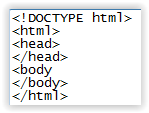
-
Now change your code so it says the following.
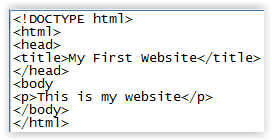
- Save yout code as index.html (It will not work without being called index.html later in the process!!!) If a box comes up asking if you should use .html instead of .txt then click use html
- Now go to the folder where you saved your file and open it in your preferred web browser.
- You can add links to your website using a tag change your code so it looks like this.
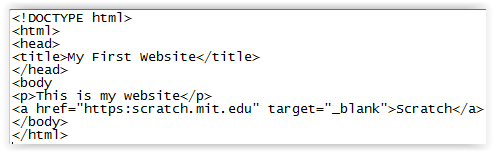
- To add links use the ul tag for bulleted lists and the ol tag for numbered lists. Have a look at this HTML code.
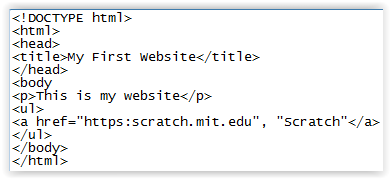
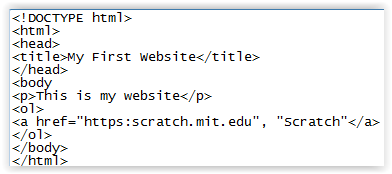
- To add special effects like underlined, bold and italics use the u tag for underlining, the b tag for bold or the i tag for italics.
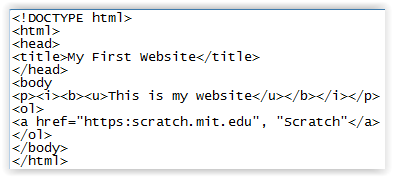
- To publish your website online you need to find a hosting service. You can use Go Daddy or Github. These are just examples, there are many more hosting services in the world.
- Now you have your own website! Be sure to tell people how you created your website and tell them to come here to create their own website!
I made a website using HTML like this. Click here to go there.
Home
Python and Idle
Scratch
Trinket
Sphero
Sphero Edu
Tutorials
Downloads